
Why Updating a Screen Is Harder Than It Looks
Screen updates fail when content lives in one system, approvals in another, deployment in a third. The problem isn't technical, it's structural. Learn why routine updates become recurring failures and how unified workflows resolve the diffusion of responsibility that breaks digital signage.

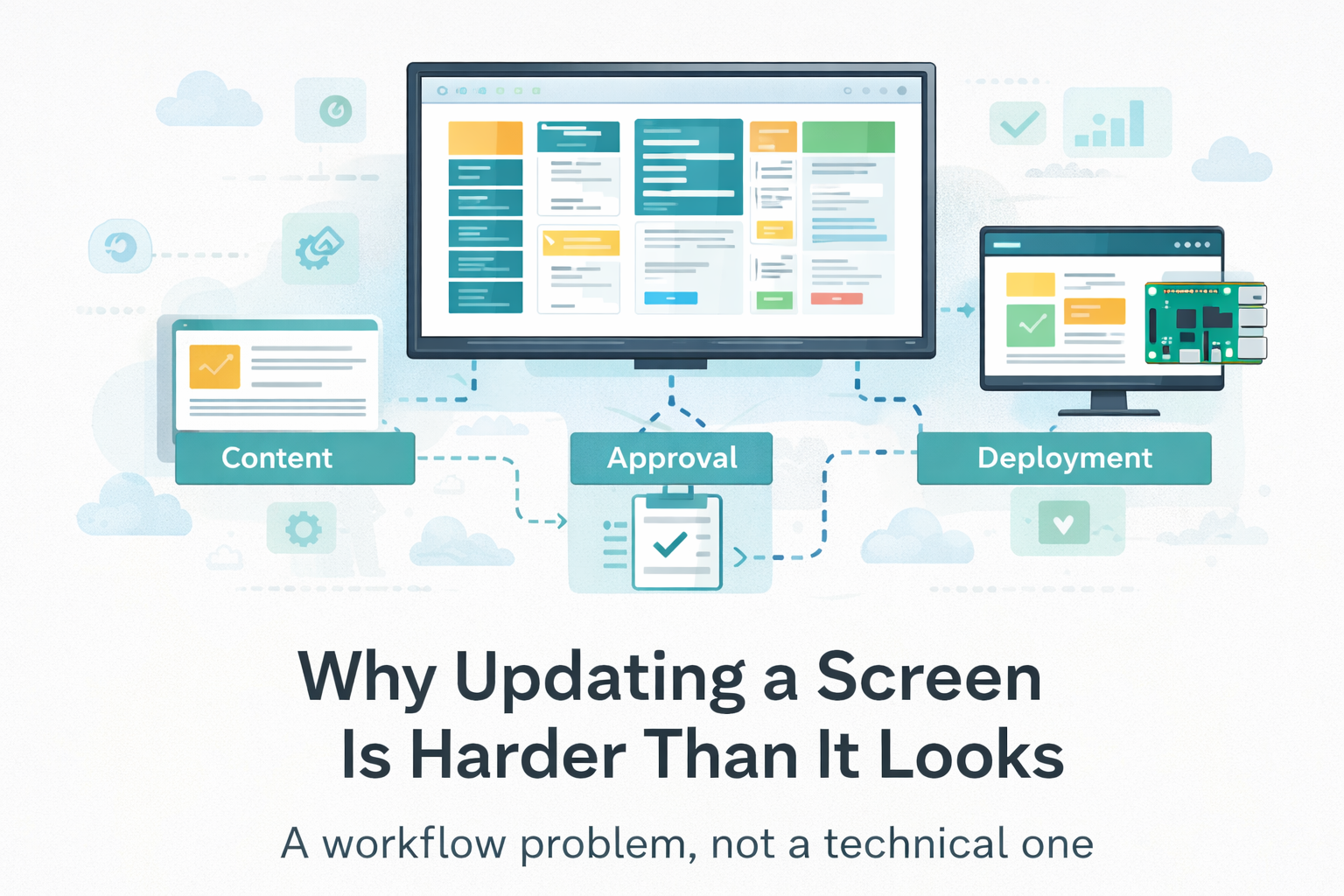
Updating a shared screen through digital signage software should be routine. In practice, it repeatedly triggers confusion, blame, and manual intervention. The problem isn't the content itself, it's that each update depends on multiple disconnected systems where responsibility is implicit, not assigned. What appears as a simple task becomes an operational failure point.
Key Takeaways: Why Updating a Screen Is Harder Than It Looks
- Screen updates fail structurally, not technically, content lives in one system, approvals in another, deployment in a third, with no clear ownership
- Standard fixes don't work, centralizing under IT creates bottlenecks, decentralizing to teams increases errors, freezing schedules kills relevance
- Real solutions need three things, unified workflow (one platform for creation, approval, deployment), explicit accountability (who changed what, when), and offline resilience (cached content survives network failures)
- Digital signage platforms solve this, centralized management eliminates USB-drive workflows, scheduling surfaces conflicts before they go live, permissions let teams work independently without admin access
- Bottom line, workflow failures need workflow fixes, not better hardware or software
About the Author
Rajath Bail leads Product and Design at PiSignage, bringing years of experience from Microsoft and McKinsey. His work focuses on creating human-centered digital experiences that connect design, technology, and strategy.
1. The Problem: When Routine Updates Become Recurring Failures
The failure pattern is visible across industries and environments. The symptoms are consistent:
- "I followed all the instructions... but the content I added is not displaying on the screens." , Zoom Rooms Community
- "Previously, slides would automatically refresh after any updates. Now the Chromebox requires a reboot for the changes to be displayed. Updates occur throughout the day and need to be reflected more promptly." , School IT Admin, r/k12sysadmin
- "Waiting for over 15 minutes, especially when managing multiple playlists, is quite frustrating. An update time of 15 to 30 minutes is simply unacceptable." , r/SparklePlayer
- "One of my players is currently just a black screen. No files playing... Every other player is running fine, and this one was until some point in the mid-morning yesterday." , r/digitalsignage
One administrator described the issue in a support forum: "I have updated the playlist and deleted the old one, but the screen still shows the old content. I've tried rebooting, re-installing, nothing works."
The default explanation blames the display software, device, or network. This feels reasonable because failures surface as visible mismatches, what you expected versus what's actually shown. But the same breakdowns occur across different devices, teams, and content types, even when the technology changes entirely. The failure feels technical, but it is structural.
2. Why This Keeps Happening: The Mechanism Behind the Breakdown
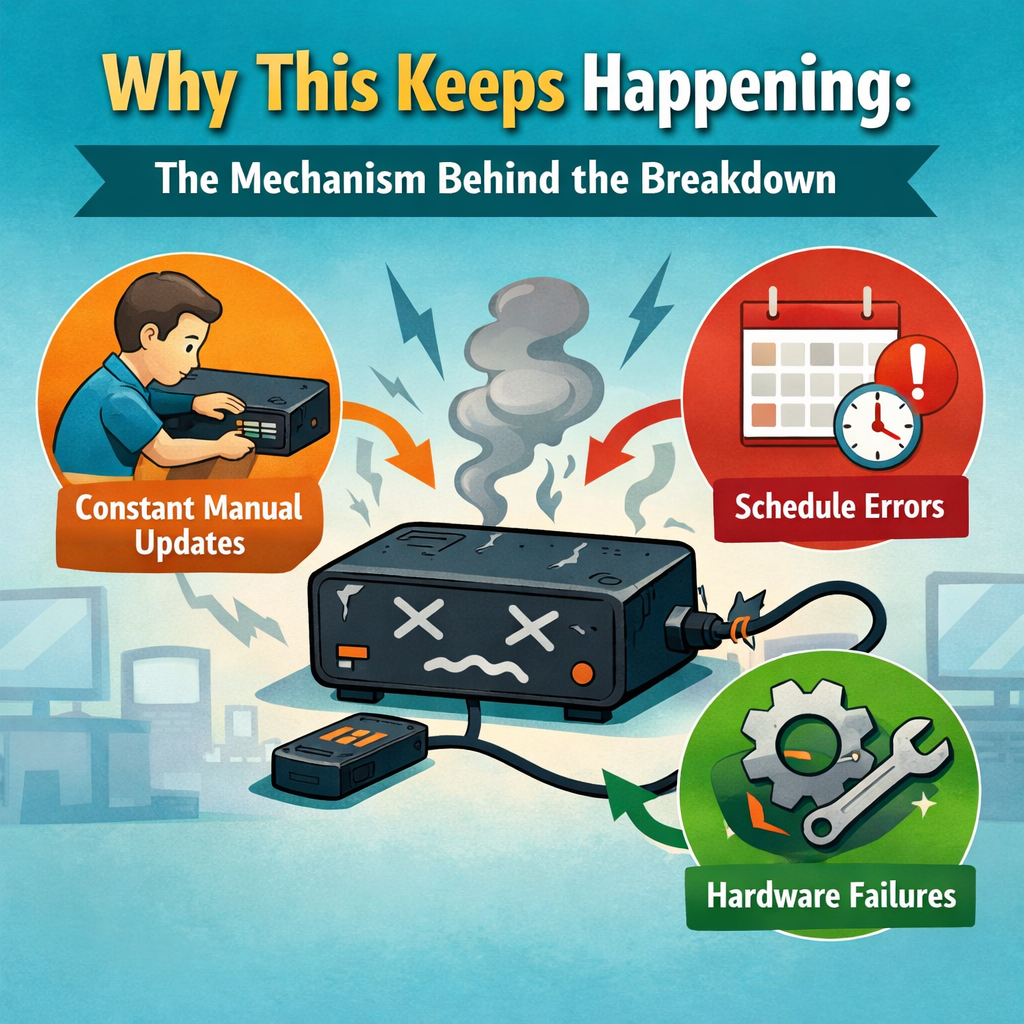
Screen updates are not a single action. They are the final output of multiple systems that were never designed to converge reliably:
- Content originates in one location (a document, spreadsheet, or design file maintained by marketing, operations, or department leads).
- Update decisions happen elsewhere (approval chains, scheduled reviews, or ad-hoc requests from stakeholders who don't control the source).
- Execution occurs in a third place entirely (IT pushes files, a content manager uploads assets, or an automated sync runs on a schedule no one remembers setting).
This pattern has a name in organizational research: diffusion of responsibility.
As Henriksen and Dayton documented in their peer-reviewed study on workflow failures, "in the absence of standardized procedures, individual roles and responsibilities are frequently assumed rather than clearly spelled out. Unstated assumptions will undoubtedly vary." The result: "components that should be attended to are frequently missed." (Henriksen & Dayton, Health Services Research, 2006)
Screens become downstream artifacts of workflows that operate on different assumptions about timing, ownership, and authority. When any assumption shifts, someone changes roles, a deadline moves, a file gets saved to the wrong location, the entire chain breaks silently. The screen shows outdated information, but the breakdown happened three steps upstream.
McKinsey's research on organizational decision-making identifies the same mechanism: "growing organizational complexity has clouded accountabilities" and "the reduced cost of communications brought on by the digital age has compounded matters by bringing more people into the flow via email, Slack, and internal knowledge-sharing platforms, without clarifying decision-making authority." (McKinsey, "Untangling Your Organization's Decision Making," 2017)
As one hotel IT manager described: "My objective is to showcase custom videos and images on 4 to 10 selected screens... I need the ability to update content from a PC without needing to visit each screen with a USB drive."
The technical capability might exist, but organizational clarity doesn't. As one AV manager explained the dynamic: "The IT department is responsible for overseeing the hardware components, but it's the marketing team that handles the content, an aspect that is crucial to the overall effectiveness of the signage." Both teams are involved. Neither explicitly verifies the other's work.
Over time, even well-intentioned workflows decay: roles change, exceptions accumulate, undocumented workarounds become 'normal,' and a process that once worked reliably fails more often without any single point of failure.
3. How the Problem Compounds
As mismatches accumulate, trust erodes. People stop treating the screen as a reliable source of truth. Updates get delayed because no one wants to own the next failure. Content is duplicated through email, Slack, or printed notices, channels where accountability feels clearer, even if they're less efficient.
The screen shifts from being a coordination aid to a liability. Every reference requires justification: "Is that actually current? Who confirmed it?" What was meant to reduce communication overhead now adds cognitive load.
The data confirms this pattern. As one systems integrator shared on Reddit industry discussion, in an 850-location pharmacy deployment, only 10% of end users engaged directly with the content management system, despite having templates designed for quick updates. The other 90% defaulted to displaying static content. The system technically worked. The workflow made it too painful to use.
Organizations typically attempt three partial fixes:
- Centralizing updates under IT reduces chaos but overloads a team that lacks content context. IT knows how to push files but not whether the content is correct, timely, or approved. Research on IT governance confirms this limitation: "Evidence exists that centralized IT solutions fail to address the full range of needs within large multidivisional firms. A poor alignment between the technology and local business needs forces business units to reengineer their processes to fit the technology or simply work around it." (ACM Communications, "Decentralization Versus Centralization in IT Governance")
- Allowing non-technical teams to update content directly improves speed but increases inconsistency. Without technical safeguards, errors propagate faster.
- Freezing content schedules stabilizes operations but sacrifices relevance. The screen becomes predictable but useless.
Each fix redistributes pain rather than eliminating it. The underlying mechanism, disconnected accountability, remains unchanged.
4. What a Real Resolution Requires
Before examining specific tools, it's worth defining what any effective solution must provide. The problem is structural, so the resolution must be structural too.
Digital signage solutions that actually resolve screen update failures need three capabilities. Modern digital signage platforms must provide:
1. Unified workflow where intent, approval, and deployment happen in one place. Content creators shouldn't update a file in one system, request approval through another, and hope IT notices in a third. The workflow must collapse these steps into a single auditable path.
2. Explicit accountability at each stage. The system must answer: Who changed this? When? What exactly changed? Is it deployed? These questions should be answerable without investigation, visible by default, not reconstructed after failure.
3. Separation of content delivery from content playback. Network outages, sync failures, and connectivity drops shouldn't blank the screen. Content must persist locally so that delivery failures don't cascade into display failures.
Without all three, the system merely relocates the problem. Centralized management without accountability creates a new bottleneck. Accountability without offline resilience creates new failure modes. The solution must address the workflow holistically.
Modern Digital signage management platforms address these failures by implementing all three capabilities in a single system. Here's how:
5. How Digital Signage Platforms Address These Failures
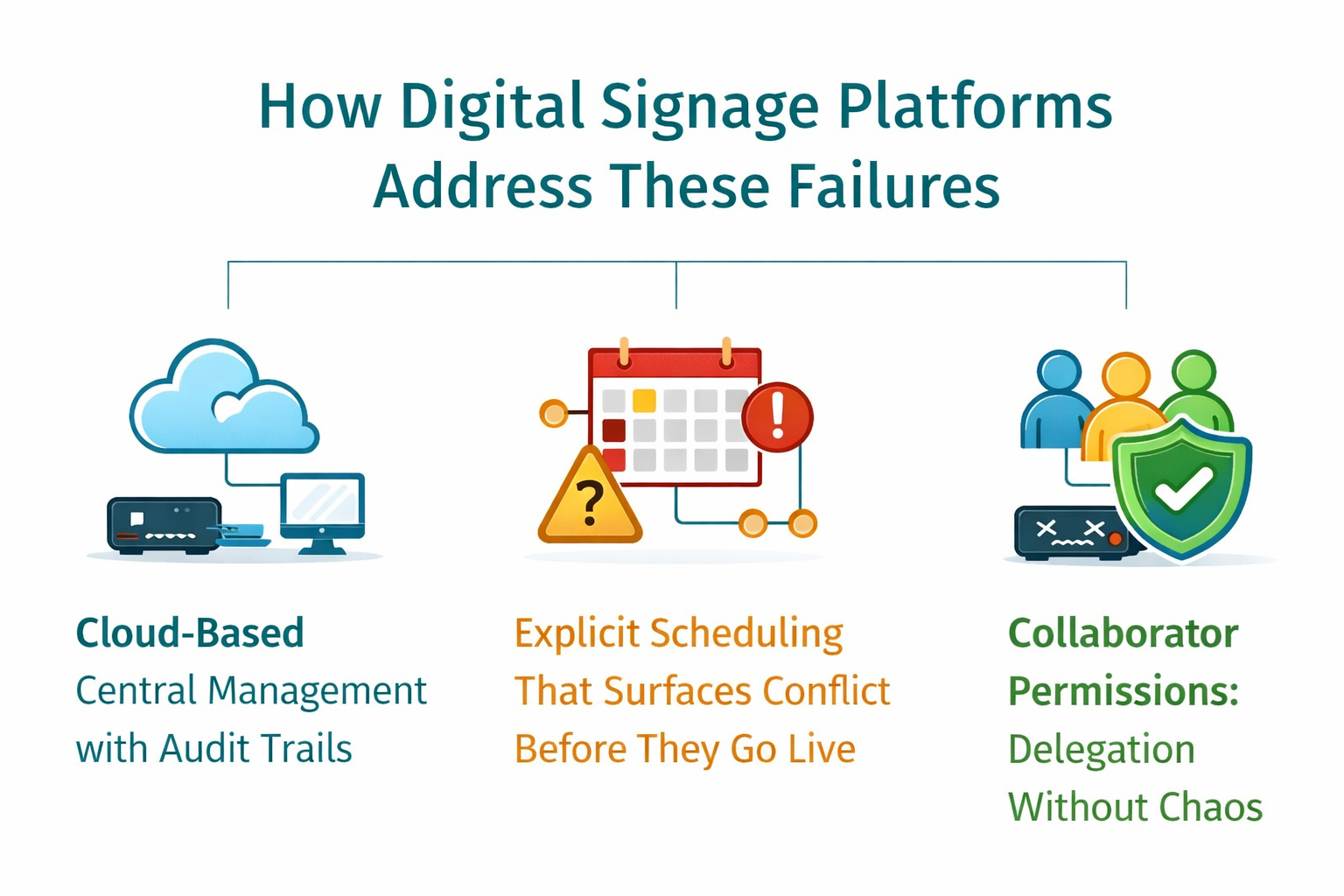
Cloud-Based Central Management with Audit Trails
The USB-drive-per-screen model that restaurant owners, hotel managers and multi-location operators struggle with gets replaced by centralized control: one person updates content once, and the change propagates to all assigned screens automatically. Every modification is logged, who changed it, when, and what exactly changed. Updates happen from any browser, anywhere, without requiring physical device access.
Read our detailed guide on Central management of screens through grouping.
Explicit Scheduling That Surfaces Conflicts Before They Go Live
Digital signage scheduling software makes timing decisions explicit rather than dependent on "whenever IT gets around to it." Content displays according to set rules, breakfast menu 6-11am, lunch 11am-3pm, emergency messages override everything. When conflicts occur, they surface before going live rather than failing silently on the screen. If someone schedules overlapping content, the conflict should appear immediately in the dashboard.
Read more on scheduling the content in digital signage
Collaborator Permissions: Delegation Without Chaos
Permission-based access allows different teams to operate within their scope without requiring full admin credentials. Marketing updates content, IT manages devices, finance views reports, each with explicit, auditable permissions that can be revoked when roles change. Content teams don't need IT credentials to update a menu, and IT doesn't lose visibility into what's deployed across screens.
Read the detailed guide on digital signage permissions & collaboration
Extended Capabilities for Specific Contexts
The three core capabilities, unified workflow, explicit accountability, and delivery-playback separation, address most update failures. Some operational contexts require additional infrastructure:
- Scale: Organizations managing dozens or hundreds of screens need logical grouping by location, department, or function. Without it, administrators update devices one by one, recreating the manual workflow the system was meant to eliminate.
- Connectivity: Environments with unreliable network access need local content caching. When delivery and playback aren't separated, temporary connectivity drops blank displays until service returns.
- Hardware: Organizations with mixed or legacy equipment need platform-agnostic playback. Requiring hardware replacement to gain centralized management reintroduces cost barriers that prevent adoption.
These aren't features; they're architectural requirements for specific operational constraints.
Learn more about
6. Where This Workflow Pattern Appears
The screen update failure mechanism, disconnected systems, implicit ownership, silent breakdowns, surfaces across these operational contexts:
- Corporate offices where HR announcements, maintenance schedules, and operational updates originate in different departments but need to appear on shared office digital signage displays.
- Multi-location retail or hospitality where USB-drive updates don't scale and central management is critical for brand consistency. Restaurant operators, for instance, often need the same content visible both on in-store displays and websites, requiring cloud-based systems accessible from any location.
- Manufacturing and warehouse environments where real-time dashboards, production metrics, and inventory status must be visible and current.
- Healthcare facilities where reducing PA system reliance requires persistent visual communication in lobbies, hallways, and waiting areas.
- Schools and institutions where event calendars, emergency alerts, and daily announcements need centralized control without IT bottlenecks.
The commonality isn't industry. It's structure: content originates in one place, screens exist in another, and the bridge between them must be reliable, auditable, and non-technical.
7. How PiSignage Solves These Workflow Failures
PiSignage addresses the three core requirements, unified workflow, explicit accountability, and delivery-playback separation, in a single platform designed to eliminate the structural breakdowns described throughout this article.
Unified Workflow in Practice
Instead of updating spreadsheets in Google Drive, requesting approvals through email, and hoping IT notices to push files manually, PiSignage collapses the entire chain into one interface.
Content creators upload assets directly to the cloud dashboard, assign them to playlists, schedule when they appear, and deploy to screens, all without leaving the platform. The approval happens within the same system where creation and deployment occur, creating the single auditable path that prevents silent failures.
Explicit Accountability Built-In
Every action generates an audit trail visible by default. When a screen shows outdated content, you don't reconstruct what happened through Slack threads and IT tickets, you check the dashboard: who uploaded the file, when it was scheduled, which screens received the update, and whether deployment succeeded.
Role-based permissions make ownership explicit: marketing manages content, IT manages devices, operations views reports. No one assumes someone else verified the change because the system tracks exactly who did what.
Offline Resilience by Design
Content downloads to each screen's local storage, so network failures don't cascade into blank displays. When internet drops, the breakfast menu scheduled for 6-11am still appears at 6am. Emergency announcements pushed before the outage continue playing.
Real-time dashboards that require live data won't update, but static content, playlists, schedules, videos, images, persists until connectivity returns and the system automatically syncs fresh content.
Scale Without Manual Overhead
Group management applies updates to logical clusters rather than individual devices. Change the corporate HR policy? Update all lobby screens across 50 locations simultaneously. Promote a regional sale? Target only the 12 retail stores in that geography. Schedule a menu price change? All restaurant locations receive it at once, timed to their local 6am opening.
Without grouping, you recreate the USB-drive-per-screen workflow the platform was designed to eliminate.
Device-Agnostic Deployment
PiSignage runs on Raspberry Pi, Android TV, Amazon Fire Stick, Windows, or any Chromium browser. Organizations don't replace functional hardware to gain centralized management, they deploy the software on existing equipment, whether that's a five-year-old Samsung display in the warehouse or a new LG screen in the corporate lobby. This removes the cost barrier that prevents adoption and allows phased rollouts without hardware standardization.
8. What PiSignage Does Not Solve
PiSignage resolves update workflow failures and deployment complexity. It does not determine whether content is useful, persuasive, or well-designed. It does not validate data accuracy at the source. It does not arbitrate approval politics or prevent hardware from physically failing.
Source data quality, content design, and organizational decision-making remain separate concerns. Conflating them leads to solutions that fail because they target the wrong layer of the problem.
9. FAQs
- What should I look for in digital signage management software?
A: Prioritize three capabilities: unified workflow (content creation, approval, and deployment in one place), explicit accountability (tracking who changed what and when), and offline resilience (so network failures don't blank screens). For multi-location deployments, group management and permission-based collaboration become essential to avoid manual device-by-device updates. - Why do screen updates fail even when the display technology works fine?
A: Screen updates fail structurally when content creation happens in one system, approvals in another, and deployment in a third, with no single point of verification. The breakdown occurs upstream in disconnected workflows where everyone assumes someone else checked, not in the display hardware itself. - Why can't we just use USB drives or Google Slides for our digital displays?
A: USB-drive-per-screen workflows don't scale beyond a few locations and create the exact manual coordination failures this article describes, no accountability tracking, no conflict detection, and no centralized control.USB drives and Google Slides work well for single locations with a few screens. - What causes the disconnect between IT and marketing teams in managing displays?
A: IT knows how to deploy files but not whether content is correct, timely, or approved, while marketing creates content but lacks system access or technical deployment capability. Without explicit role boundaries and a unified platform, both teams assume the other verified the update, creating the diffusion of responsibility that causes failures. - What's the difference between cloud-based and on-premise / open source digital signage?
A: Cloud-based platforms provide remote management from any browser, automatic updates, and lower upfront costs but depend on internet connectivity and ongoing subscriptions. Open source systems offer complete control, no internet dependency, but require dedicated IT staff, higher upfront investment, and manual updates across locations (No security). - Q: What's the best way to manage 50+ screens without updating each one individually?
A: Group management organizes screens by location, department, or function so updates propagate to logical clusters (all lobby screens, all restaurant menu boards, all manufacturing floor displays) from a single interface. Without grouping, administrators recreate the manual device-by-device workflow the platform was meant to eliminate.
10. Conclusion
Screen updates fail when responsibility is implicit rather than explicit, when content originates in one system, approval happens in another, and deployment occurs in a third, with no single point of verification.
The failure feels technical because it surfaces on the screen. But the breakdown happens upstream, in workflows where everyone assumes someone else checked.
The structural fix requires collapsing intent, approval, and deployment into a single auditable path. It requires making accountability explicit at every stage. And it requires separating content delivery from playback so network failures don't cascade into display failures.
That's the capability class that resolves the problem. PiSignage implements it.
11. See How It Works in Practice
If your organization is experiencing these workflow failures, outdated screens, unclear ownership, manual USB-drive updates, you can test the solution risk-free with 2 screens forever at no cost.
Further Reading
Creating multiple playlists and scheduling
How to keep your screens running, even when you're offline
Turn your existing Android smart TV into professional digital signage